


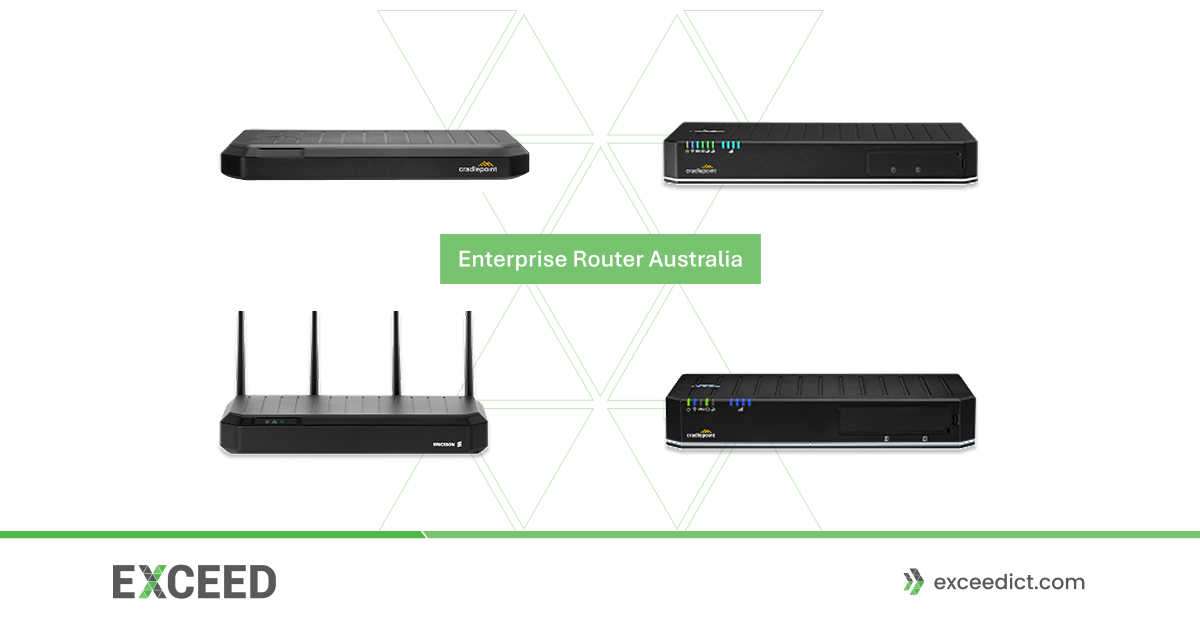
An enterprise router is a high-performance networking device designed to connect business locations, branch offices, data centres, remote sites and distributed workforces. Unlike standard residential routers, enterprise-grade solutions are built to manage higher traffic volumes, advanced security requirements, multiple connectivity options and complex business networks.
For Australian businesses, enterprise routers can provide reliable connectivity across offices, warehouses, remote locations and temporary sites. Modern solutions can also combine wired broadband with 4G or 5G connectivity, SD-WAN, VPN and advanced security features to create a more resilient business network.
This guide explains what an enterprise router is, its key features, common applications and what Australian businesses should consider when selecting a solution.
What Is an Enterprise Router?
 An enterprise router manages data traffic between different networks while providing the performance, security and control required by business environments.
Enterprise routers can connect:
- Head offices
- Branch offices
- Data centres
- Warehouses
- Retail locations
- Remote and regional sites
- Temporary business locations
- Mobile or field operations
They can support multiple users, applications and connected devices simultaneously while applying routing, security and traffic-management policies.
Depending on the model, an enterprise router may also provide integrated SD-WAN, VPN, firewall, Wi-Fi, Ethernet, fibre and cellular connectivity.
Enterprise Router vs Standard Router
Consumer routers are generally designed for homes and small-scale internet usage. Enterprise routers are built for more demanding environments.
Key differences can include:
| Feature | Standard Router | Enterprise Router |
| Network scale | Home/small office | Business and enterprise |
| WAN connectivity | Usually single connection | Multiple WAN options |
| Failover | Limited | Advanced redundancy and failover |
| Security | Basic firewall | Advanced firewall, VPN and security controls |
| Management | Local management | Centralised/cloud or enterprise management |
| Routing | Basic | Advanced routing protocols |
| SD-WAN | Usually unavailable | Available on many models |
| Cellular | Limited | 4G/5G enterprise options |
| Traffic control | Basic | Advanced QoS and segmentation |
For businesses where internet connectivity supports critical applications, cloud platforms, communications and daily operations, network resilience can be an important consideration.
Key Features of an Enterprise Router
Advanced Routing
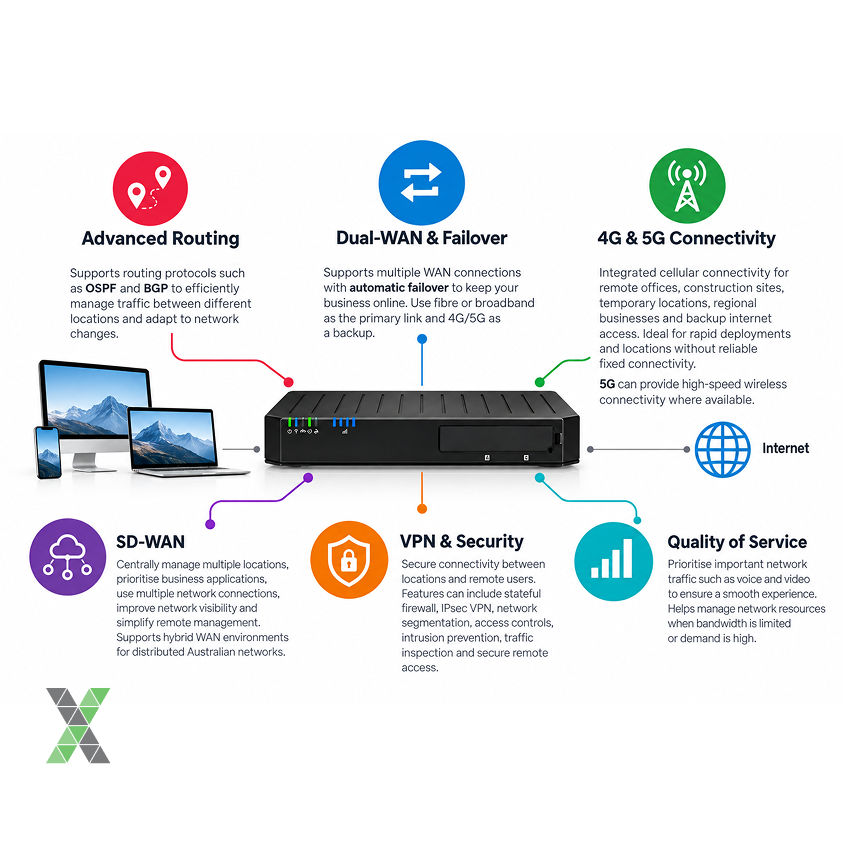 Enterprise routers can support advanced routing protocols such as OSPF and BGP. These protocols can help larger networks efficiently manage traffic between different locations and respond to changes in network availability.
Dual-WAN and Failover
A business can experience disruption if its primary internet connection fails. Enterprise routers can support multiple WAN connections, allowing organisations to configure redundancy and automatic failover.
For example, a business may use a wired broadband or fibre connection as its primary link and 4G or 5G as a backup.
4G and 5G Connectivity
Modern enterprise routers can include integrated cellular connectivity.
This can be useful for:
- Remote offices
- Construction sites
- Temporary locations
- Regional businesses
- Backup internet access
- Rapid deployments
- Locations without reliable fixed connectivity
5G can provide high-speed wireless connectivity where suitable network coverage is available.
SD-WAN
Software-Defined Wide Area Networking (SD-WAN) allows businesses to manage connectivity across multiple locations using centrally controlled policies.
SD-WAN can help organisations:
- Connect branch offices
- Prioritise business applications
- Use multiple network connections
- Improve network visibility
- Simplify remote management
- Support hybrid WAN environments
This makes SD-WAN particularly relevant to organisations operating distributed Australian networks.
VPN and Security
Enterprise routers can provide secure connectivity between locations and remote users through technologies such as VPN.
Depending on the device, security capabilities can include:
- Stateful firewall
- IPsec VPN
- Network segmentation
- Access controls
- Intrusion prevention
- Traffic inspection
- Secure remote access
Security requirements should always be assessed according to the organisation’s network architecture and risk profile.
Quality of Service
Quality of Service (QoS) allows businesses to prioritise specific types of network traffic. For example, voice and video communications may need higher priority than less time-sensitive applications.
QoS can help organisations manage network resources when bandwidth is limited or demand is high.
Where Are Enterprise Routers Used?
Enterprise routers are suitable for a wide range of business environments.
- Corporate Offices: Large offices can use enterprise routers to connect employees, cloud applications, business systems, VoIP services and other network resources.
- Branch Offices: Businesses with multiple locations can use enterprise routers to establish secure connections between branches and central systems.
- Remote and Regional Sites: Australia’s large geographic area means some businesses operate in locations where traditional fixed connectivity may be limited. 4G, 5G and satellite connectivity can provide additional options for remote operations.
- Warehouses and Industrial Sites: Warehouses and industrial environments often depend on connected devices, inventory systems, cameras and cloud applications. A reliable network infrastructure can help these systems communicate effectively.
- Temporary Locations: Enterprise cellular routers can provide rapid connectivity for temporary offices, events, construction projects and emergency deployments.
Choosing an Enterprise Router in Australia
The right enterprise router depends on your network requirements rather than simply the router’s maximum speed.
Determine Your Connectivity Requirements
First, identify the connections available at each location.
You may require:
- Fibre
- Ethernet
- Broadband
- 4G LTE
- 5G
- Wi-Fi
- SFP/SFP+ connectivity
- Satellite connectivity
Consider Network Traffic
Estimate how many users, devices and applications the router needs to support. Businesses using cloud applications, video conferencing, VoIP, security cameras and large data transfers may require significantly greater performance than a small office with basic internet usage.
Plan for Redundancy
Consider what happens if the primary internet connection fails. A dual-WAN configuration or cellular backup can help maintain connectivity during an outage.
Evaluate Security
Look at the router’s firewall, VPN, access-control, segmentation and other security capabilities. Security should also be considered as part of the wider network architecture rather than relying on a router alone.
Consider Centralised Management
For organisations managing multiple branches, cloud-based or centralised management can make it easier to configure, monitor and troubleshoot network devices.
Think About Future Growth
A router should support your expected requirements as the organisation grows. Consider future users, additional locations, higher bandwidth requirements, new applications and emerging connectivity technologies.
EXCEED ICT Enterprise Router Solutions
EXCEED ICT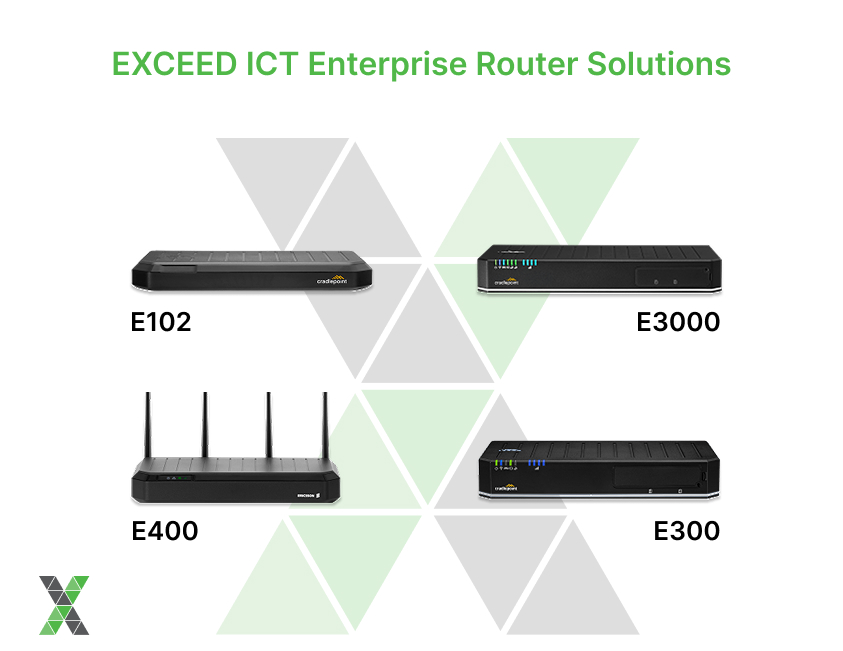 provides enterprise connectivity solutions designed for Australian business environments, including branch offices, remote sites and fixed locations.
Its portfolio includes enterprise routers supporting different connectivity and deployment requirements.
- E102: The E102 is designed as a small enterprise router for a secure dedicated network. Its wireless LTE connectivity can help extend a dedicated business network to remote employees and locations.
- E300: The E300 is designed for fixed-site enterprise connectivity with an embedded Cat 16 LTE modem. It can support a primary wired broadband connection with LTE used for failover, helping businesses create a more resilient hybrid connectivity environment.
- E400: The E400 combines 5G Standalone, SD-WAN and security capabilities for enterprise hybrid WAN deployments. Its 5G NR Rel-17 modem and Wi-Fi 7 capabilities are designed for demanding business connectivity requirements.
- E3000: The E3000 is an enterprise router optimised for fixed-site 5G connectivity. It incorporates 5G NR Rel-17 and Wi-Fi 7 technologies for organisations requiring high-performance wireless connectivity.
These solutions allow businesses to consider different approaches depending on their location, connectivity requirements and network architecture.
Benefits of an Enterprise Router
Using an enterprise-grade router can provide several advantages for Australian organisations.
- Improved Reliability: Multiple connectivity options and failover can help reduce the impact of a primary connection outage.
- Better Network Management: Centralised management can simplify administration across multiple business locations.
- Stronger Security: Enterprise networking platforms can provide more advanced security controls than standard consumer routers.
- Flexible Connectivity: Businesses can combine fixed broadband, fibre and cellular connectivity according to their operational requirements.
- Support for Distributed Operations: Enterprise routers can help connect branch offices, remote sites and mobile operations to central business systems.
- Scalability: Enterprise-grade infrastructure can be designed to accommodate additional users, locations, devices and applications as the organisation grows.
Enterprise Routers and Business Continuity
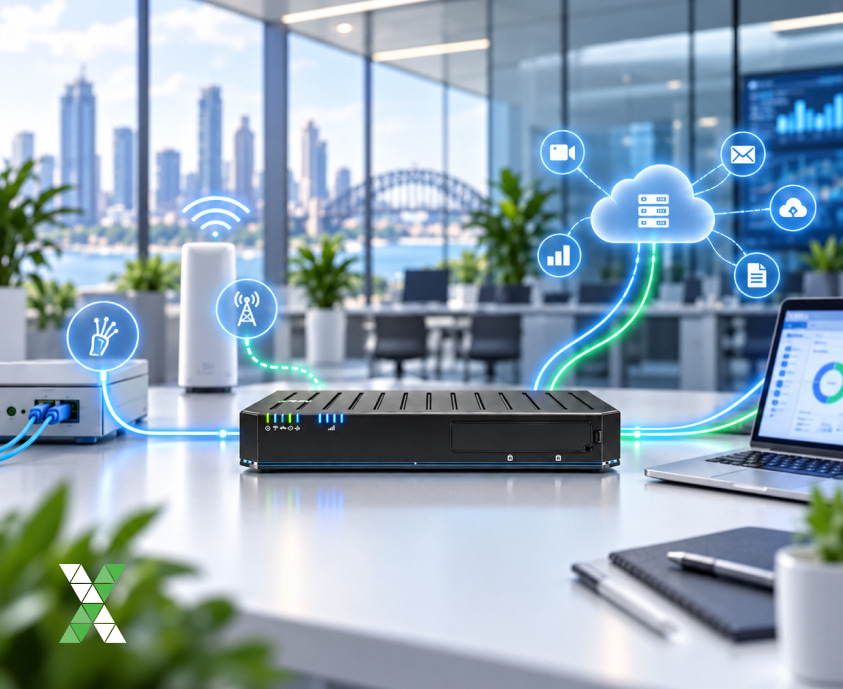 Internet connectivity is increasingly important for cloud applications, communication platforms, customer services and operational systems.
A resilient network strategy can therefore form part of a broader business continuity plan.
For example, a business could use:
Primary fibre → Enterprise router → 5G failover → Cloud applications
If the primary connection becomes unavailable, the router can automatically switch traffic to the backup connection, depending on the configured solution.
This can be particularly valuable for businesses where network downtime directly affects operations.
How to Select the Right Enterprise Router?
Before purchasing an enterprise router, consider the following questions:
- How many users and devices will connect to it?
- What bandwidth does the business require?
- Do you need 4G or 5G backup?
- Is SD-WAN required?
- What VPN capabilities are needed?
- Does the business require advanced security?
- How many locations need to be connected?
- Is centralised management important?
- Does the router support your current and planned connectivity?
- Can the solution scale as your business grows?
Answering these questions can help narrow the available options and ensure the selected router matches the organisation’s actual requirements.
Conclusion
An enterprise router is an important component of modern business networking, providing the performance, security, flexibility and management capabilities required by organisations with demanding connectivity requirements.
From corporate offices and branch networks to remote Australian sites, enterprise routers can support wired, wireless and hybrid connectivity. Features such as 4G/5G failover, SD-WAN, VPN, advanced routing, QoS and centralised management can help businesses build more resilient and scalable networks.
EXCEED ICT combines enterprise connectivity solutions with broader ICT capabilities, helping Australian organisations assess their connectivity requirements and implement solutions suited to their operational environment.
Build a More Resilient Business Network with EXCEED ICT
Whether you need a 5G enterprise router, branch connectivity, SD-WAN, cellular failover or a hybrid WAN solution, EXCEED ICT can help you identify the right approach for your business.
Talk to EXCEED ICT about your enterprise connectivity requirements and build a secure, reliable and scalable business network.
Call us on 1300 832 639 or simply search “Exceed ICT” on Google Maps to find a location near you and connect with our team today.
We also provide Managed Services, Asset Management, IoT Helpdesk, Fleet Management, Project Management, Telecoms Expense Management.
Improve Your Business Core values, Business Consulting, Network Management, Telstra Adaptive Mobility, Device Enrolment, and many more Solutions.
Find us (Exceed ICT) on Google map.